Turn Your Pi Zero 2W into a Retro Console! (Beginner-Friendly RetroPie Guide)
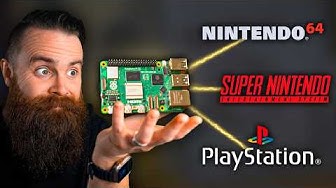
Want to play retro games on a tiny Raspberry Pi? In this video, I’ll show you exactly how to turn the Pi Zero 2 W into a retro gaming console using RetroPie — step by step. Perfect for beginners — no Linux experience needed. Pi Imager: https://www.raspberrypi.com/software/ RetroPie: https://retropie.org.uk/ Games shown: https://mhughson.itch.io/from-below https://nikalego.itch.io/gravitorque-dx https://freedoom.github.io/ Chapters: 00:00 Intro 00:23 Parts needed 01:03 Install Retropie 01:48 Boot and initial configuration 03:09 Loading ROMs 04:26 Game Demoes 04:58 Freedoom 05:41 Wi-Fi settings 05:57 Installing themes 06:50 Outro

▶︎
RetroPie: A Raspberry Pi Gaming Machine

▶︎
I Tried Gaming on the World’s Smallest PC

▶︎
I Rebuilt My Retro Handheld in PREMIUM Aluminum (USB-C Mod!)

▶︎
This is NOT a Nintendo Switch

▶︎
The Raspberry Pi Zero 2 W review

▶︎
I made a Raspberry Pi Pico Powered Game Boy! | The Pico Boy

▶︎
Battle of the Zeros

▶︎
I Made An Emulation Console For $15 & It Is AMAZING!

▶︎
DIY Raspberry Pi Zero Handheld Game Console (Part 1)

▶︎
Raspberry Pi Zero 2 W

▶︎
I Can Save You Money! – Raspberry Pi Alternatives

▶︎
Build a Retro Gaming Console with a Raspberry Pi 5

▶︎
Build your OWN retro game console with a Raspberry Pi!

▶︎
Top 5 Best Emulator Frontends For Retro Gaming #batocera #retrobat #retroarch

▶︎
This $15 SBC is Amazing for Emulation! - Orange Pi Zero 3 Review

▶︎
Make Your Own Emulation Console!

▶︎
Thousands of Retro Games in Your Pocket with this DIY Emulator!

▶︎
Designing my own Game Console

▶︎
The Raspberry Pi 5 is a $80 Gaming Beast

▶︎