I Built a Smart Desktop Weather Station with Raspberry Pi Pico 2 W!
In this video, I'll show you how to build and configure SmartStation Pi using a Raspberry Pi Pico 2 W, a Waveshare 2.8" touchscreen display, a DHT11 temperature and humidity sensor, a buzzer, and two control buttons. 🚀 Features: • Real-time analog clock • Wi-Fi connectivity • Live weather information via OpenWeather API • Temperature and humidity monitoring • Alarm functionality • Menu navigation with physical buttons • Custom SmartStation Pi user interface 🛠️ Hardware Used: • Raspberry Pi Pico 2 W • Waveshare 2.8" ResTouch LCD Shield • DHT11 Sensor • Passive Buzzer • 2 Push Buttons • Breadboard and Jumper Wires 📚 In This Tutorial You'll Learn: ✓ Hardware wiring and assembly ✓ Installing MicroPython ✓ Configuring Wi-Fi and weather settings ✓ Uploading config.py and main.py ✓ Running and testing SmartStation Pi 💻 Source Code & Project Files: https://github.com/MakerIO-Hub/i-buil... 📩 Business Inquiries: [email protected] 🔔 Don't forget to like, subscribe, and leave a comment if you have any questions or suggestions! #raspberrypi #raspberrypipico #micropython #waveshare #weatherstation #SmartStationPi #diyelectronics


Building My Own Handheld Retro Game Console!

I Can Save You Money! – Raspberry Pi Alternatives

ESPConnect The Browser Tool Every ESP32 Developer Needs to Know About #ESP32 #WebSerialAPI

I Tried Gaming on the World’s Smallest PC

I built a modular cyberdeck!

10 ESP Projects That Will Make You Say "Why Didn't I Build This Sooner?"

ESPConnect: The Browser Tool Every ESP32 Developer Needs to Know About

Gaming on an Arduino

I Made My E-Bike Sound Like a V8 Using Only Code | ESP32-S3 + MAX98357A I2S Audio + KY-40 encoder

Before You Trash Your Old PC Power Supply... Build This!

Don't Hang Up On AI Scammers. Do THIS Instead.

No One Thinks an Old Car Alternator Is a Gold Mine! Reuse It and You’ll Be Shocked

Arduino To ESP32: How to Get Started!

Handheld Linux PC powered by Raspberry Pi.
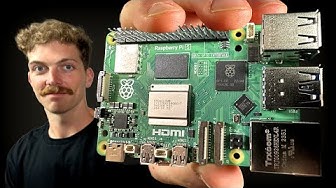
Every Developer Needs a Raspberry Pi

How I Made A C64 Laptop From Scratch - The Portable 64 (Emulation)

I Built My Own Macro Pad From Scratch with ESP32-S3

DIY ESP8266 Project | Smart Smoke & Gas Alarm with OLED Display

Forget About Raspberry Pi! Use Your Old Android Phone Instead. (Really???)

I tried learning CNC in a week to save a 20-year-old Apple Xserve

Pushing a Raspberry Pi 5 to the LIMIT....

I built a MODERN XBOX...

The Raspberry Pi Zero 2 W review
