Make Your PC Games "Physical"!
I have been obsessing over the last two weeks on how to make my PC games library feel like a cartridge-based console. With SD cards and SATA SSDs, getting the games on them and running them is a simple task. Now I have found a way to get them to launch and play by simply plugging them in! In this video, I will show you how I did it! Join my channel by clicking here! / @archadesgames APO Autorun can be downloaded here: https://github.com/mesheets/APO-UsbAu... Here is the text to paste in your start bat files: @echo off taskkill.exe /F /IM steam.exe start "" "Path to your shortcut" exit PC Gaming Wiki: https://www.pcgamingwiki.com/wiki/Home Items used for this project (affiliate links) Sabrent 2.5/3.5 Drive Dock: https://amzn.to/4pS33dB Silicon Power SSD: https://amzn.to/432stLM SanDisk Card Reader: https://amzn.to/4mMGswk SanDisk Extreme Pro 128GB: https://amzn.to/3KwCj2h SanDisk Ultra 32GB 3 Pack: https://amzn.to/4mYzEw0 Labels made with Cricut Joy Xtra: https://amzn.to/4gPC9yY Time Stamps: 0:00 - Intro 0:52 - Storage Methods For Your "Cartridges" 3:45 - Items Used In This Video 4:51 - Creating A Steam "Cartridge" 5:12 - Initialize And Format The Storage If Needed 6:07 - Add "Cartridge" Drive To Steam Library 6:39 - Move Chosen Steam Game To "Cartridge" 7:12 - Confirm Game Runs From "Cartridge" 7:55 - Creating A GOG "Cartridge" 8:01 - Manually Assigning A Drive Letter If Desired 8:54 - Initialize And Format Storage If Needed 10:06 - Test The Install 11:32 - Creating A CD Game "Cartridge" 11:47 - Using PC Gaming Wiki To Help Install Old CD Games 13:14 - Install CD Game To "Cartridge" 14:32 - Test The Install 15:10 - Exporting Registry Entries If Desired 16:07 - Making Your Cartridges Auto Run 16:37 - You Accept The Potential Risks Of Doing This Part Of The Project 17:04 - Download And Install APO USB Auto Run 17:15 - Building An Auto Run Files For Our Standalone Game Install 20:32 - Building An Auto Run For Our GOG Games 23:16 - Building An Auto Run For Steam Games 30:09 - Outro/Support Video transitions made by Zachary of andyshat.com This video was possible thanks to all the amazing people who supported me on YouTube and Patreon! YouTube Members: Carol E, Kye W, Andy's Hat, SMWiz, McClaz, ThisMachineWill, Lukas P, Mister Lindon, ufoguy, Craig N, Nimn One, CatGPT, Jon D, Crux64, MagnusZilla, and beLIEve_1286 Patreon Supporters: Zerro0713, HamsterGT, Jeff M, Joerg L, Russ C, SMWiz, Adam V, DJ_Femur, EternalCommando, Jamie N, McClaz, Schabeugen04, Mister Lindon, ZooKneeKnow, Matthew F, and Mason Any footage captured from retro console hardware (not emulation) has been done so using the RetroTink 4K from Mike Chi. This amazing device provides the best-looking footage I have ever worked with up to resolutions of 2160P! If you are interested in giving your own setup an upgrade go support Mike and check out https://www.retrotink.com/ Come help charity! Come help a good cause and donate money to extra life! donations to extra life are given to children's hospitals! http://bit.ly/2D8XoZ3 Remember to Like and subscribe you can also follow me on Twitch and Twitter! / icestrike256 / icestrike256 Support the Channel! You can help support the channel by donating, supporting me on Patreon, and shopping through my Amazon and CastleMania Games affiliate links. Shopping with these links costs you nothing, but I receive a small commission for the referrals! For CastleMania Games shoppers, using the discount code ARCHADES can save an additional 10% on most purchases! Donate: https://streamlabs.com/icestrike256 Patreon: / icestrike256 Amazon Affiliate Link: http://amzn.to/2FLgZAq CastleMania Games Link: https://castlemaniagames.com/?ref=Arc...


Saving My Xbox Digital Games - Forever

Ocean Waves for Deep Sleep LIVE 🌊 Rolling Waves & Dark Screen Reduce Anxiety, Stress & Sleep Aid

How To Create Your Own "Physical" Steam Games!

Installing Steam on the PS5

✅ How to Play PS1 Games on PS2 via USB (The Easy Way)

I Don't Think I Can Go Back To Windows...

How Modern Game Engines Degraded — And Who’s to Blame?

How To Make Physical Discs Of Your GoG Games!

How Rockstar fit an entire city into PlayStation 2 memory

How I Make My "Physical" SD Card PC Game Labels!

I Hacked Into The World's Worst E-Bike And Fixed It

I built the ultimate retro mini PC (it uses game cartridges!)

How to Get $500 Motherboards for $50
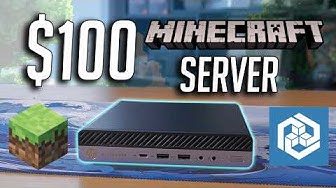
Building a $100 Minecraft Server! (2025)

Doom didn't kill the Amiga...Wolfenstein 3D did

Storchennest Live Webcam in Bad Salzungen, Thüringen

Let’s Build a Bazzite Box! - Turn a Mini Office PC Into a Game Console

Why Everyone is Modding their PS2.

I Replaced Steam with this...
