Raspberry Pi 3 USB SSD Boot
Booting a Raspberry Pi 3 from an SSD connected via a USB adapter. Includes demo of the Etcher image writer, which is available at: https://etcher.io/ Please note that the process shown in this video remains experimental and hence should be undertaken at your own risk. Please also note that you can boot a Raspberry Pi 3 Model B+ from USB without having to go through the process shown in this video. Only the first Raspberry Pi 3 needs re-configuring for USB boot. The Pi 3 B+ is pre-configured for USB boot. If you like this video, you may also enjoy some of my other Raspberry Pi videos including: Raspberry Pi GPIO inputs: • Raspberry Pi: Using GPIO Inputs Raspberry Pi 3 Overclocking: • Raspberry Pi 3: Overclocking Raspberry Pi Robotics #2: Zumo Robot: • Raspberry Pi Robotics #2: Zumo Robot Raspspberry Pi Robotics #3: Keyboard Control: • Raspberry Pi Robotics #3: Keyboard Control Raspberry Pi Robotics #5: Line Follower: • Raspberry Pi Robotics #5: Line Follower More videos on computing-related topics can be found at: / explainingcomputers You may also like my ExplainingTheFuture channel at: / explainingthefuture


Raspberry Pi 3: CPU Temperature Tests & Heatsink

Rock Pi 4B : M.2 & USB 3.0 SBC

Raspberry Pi: Using GPIO Inputs

Raspberry PI3 B+ How To Boot From An External USB Hard Drive Or Thumb Explained Tips And Tricks

Raspberry Pi Zero 2 W

Make Your Raspberry Pi 20x Faster (Stop Using SD Cards)

Raspberry Pi 4 OpenMediaVault NAS

SBCs: It's time to ditch microSD

Raspberry Pi 4 Getting Started

Niederlande – Japan Highlights | Gruppe F, FIFA WM 2026 | sportstudio

Windows 10: Four Months to Go (Again)

Raspberry Pi 3 Model B+

Faster Raspberry Pi? Here's How to Boot from USB or HDD

Top 7 Raspberry Pi Desktop OS 2026

Consumer SBCs in 2026

The Man Who Worked At Subway, Then Solved An "Impossible" Problem

🥧Raspberry Pi 3B/3B+ USB SATA/SSD (2019) 🥧

Raspberry Pi: Multi-boot with BerryBoot
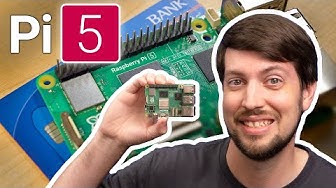
Raspberry Pi 5: EVERYTHING you need to know
