How to build your first AI Agent System with n8n from zero in 2026 (No code)
n8n can turn a messy shared inbox into an AI Agent System that reads, classifies, replies, and routes emails automatically. In this video, I build a beginner-friendly n8n AI Agent workflow: Gmail Trigger → collect unread emails Gemini AI Agent → classify Sales, Support, HR, or Spam Human Review Gate → stop low-confidence decisions Switch Node → route each email to the right branch Notion, Telegram, Google Drive, Gmail → create records, send alerts, save CVs, and reply when needed I also cover the limits: why you still need testing, error handling, human review, and a careful rollout before using this with real customer emails. --- Time Stamps: 00:00 Introduction 00:28 Explain n8n 01:00 Explain AI Agent System 01:49 Things You Need Before Building 02:45 Build AI Agent Step-by-step 02:52 Step 1: Setup Input For The Agent 05:05 Step 2: Connect Google Gemini And Create The Agent 06:24 Step 3: Add Guardrails And Routing Logic 08:51 Step 4: Build Actions Branches 11:44 Step 5: Test The Full System 13:27 Personal Takeaway --- Discover More From Us: 📰 Daily Newsletter: https://www.aifire.co/subscribe Get the latest AI news, tools, powerful prompts, and step-by-step tutorials in a daily email. Join & Get: “101+ Ultimate AI Cheatsheets” ☝️ 💰 AI Made Simple. Learn How to Make AI Work For You! Become an AI Fire Academy member to supercharge your career. 👉 Start Your Free Trial Today: https://www.aifire.co/upgrade 🐤 Follow us on X: https://x.com/aifireco


Stop Learning n8n in 2026...Learn THIS Instead

You are Not Behind (Yet): Fundamentals of AI Agents in 25 minutes

Copy These 3 FREE Claude AI Employees (No Code Agent Skills)
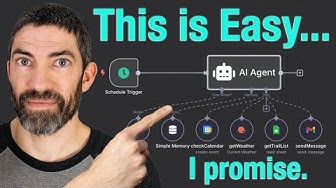
From Zero to Your First AI Agent in 25 Minutes (No Coding)

He Risked Everything To Warn You: No One Is Ready For What's Coming, And The AI Companies Know It!

I Built an AI CV Analyzer with n8n + Claude (Full Masterclass)

n8n Tutorial for Beginners: Build AI Agents & Automations
![PINK & ORANGE GRADIENT IN HD [3 HOURS]](https://i.ytimg.com/vi/6ih8zppfQSQ/hqdefault.jpg?sqp=-oaymwE9CNACELwBSFryq4qpAy8IARUAAAAAGAElAADIQj0AgKJDeAHwAQH4Af4JgALQBYoCDAgAEAEYfyAsKBMwDw==&rs=AOn4CLDvw6mQM98bfl572zfE7r4GdUG8dg)
PINK & ORANGE GRADIENT IN HD [3 HOURS]

Building an AI Dark Factory: A Codebase That Writes Its Own Code, Live

FULL GUIDE about Google AI Ecosystem: Gemini, NotebookLM, Flow, Spark & More (LASTEST UPDATE 2026)

is n8n DEAD in 2026? (HONEST REALITY)

Master 80% of n8n by Learning Just These 17 Nodes

NEW Claude Code /goal Update (Master it in 12 Minutes)

Claude Code is Better at n8n than I am (Beginner's Guide)

How to Build a Production-Ready RAG AI Agent in Python (Step-by-Step)

The Dirty AI lie : How the GREATEST bet in human history started to crack in June 2026?

Supabase Tutorial for Beginners 2026: How to Use Supabase

I Turned OpenClaw Into a REAL AI Team Workspace

The Local AI Hardware Mistake Everyone Makes
