How to Place 3D Models in 2D Photos Using Blender & fSpy
In this comprehensive Blender tutorial, you'll learn how to seamlessly integrate any 3D model into a 2D photograph using advanced techniques. This step-by-step guide covers everything from setting up your scene with the fSpy tool to using Blender’s powerful rendering engine for realistic lighting and shadows. By the end of the video, you'll master aligning your 3D objects with a 2D photo's perspective, ensuring the shadows and reflections blend naturally for a highly realistic composite. Ideal for artists and designers, this tutorial equips you with the skills to elevate your 3D modeling and rendering projects. • How to Install the fSpy Importer Add-on fo... • How to Install the fSpy Importer Add-on fo... 00:00 - Introduction to integrating 3D models into 2D photos 00:05 - Using fSpy for perspective alignment 00:20 - Downloading and opening images in fSpy 00:33 - Setting up one-point perspective in fSpy 01:00 - Adjusting perspective guides for accurate alignment 01:50 - Setting the origin and scale in fSpy 02:30 - Importing the fSpy project into Blender 02:50 - Aligning 3D models with the background image 03:30 - Creating geometry for floor and walls 05:00 - Adding details to enhance reflections and realism 06:15 - Setting up materials and textures in Blender 07:20 - Adjusting UV mapping for accurate texture projection 08:15 - Using modifiers for subdivision and UV projection 09:00 - Adding a 3D object (Suzanne the monkey) to the scene 10:00 - Enhancing realism with Cycles rendering engine 10:45 - Utilizing HDR images for ambient lighting 11:50 - Preparing for compositing: adjusting visibility and shadows 12:45 - Configuring ground plane as a shadow catcher 13:30 - Compositing the final image using Blender nodes 14:15 - Fine-tuning reflections, shadows, and lighting 15:30 - Final render and tips for perfecting the composite 16:00 - Conclusion: Creating realistic 3D-2D composites in Blender This tutorial takes you through the process of combining 3D models with 2D photographs in Blender. Starting with the fSpy tool, you'll learn how to set up accurate perspective alignment using one-point perspective, ensuring your 3D model fits perfectly into the scene. Next, the tutorial dives into creating essential geometry like floors and walls and applying textures that match the photograph's environment. By leveraging Blender’s powerful rendering capabilities, including Cycles for realistic reflections and lighting effects, you'll see how to make your 3D models look as if they naturally belong in the 2D image. Additional steps include using HDR images for improved ambient lighting and fine-tuning shadows to enhance the composite's realism. Whether you’re a beginner or an experienced Blender user, this tutorial provides invaluable insights into creating stunning, photo-realistic scenes by merging 3D and 2D elements. Happy 3D modeling!


HOLY ROSARY TODAY THURSDAY, JUNE 11, 2026 ST. JUDE THADDEUS & LUMINOUS MYSTERIES | DAILY HOLY ROSARY

Fspy + Blender | Convert 2D Photos to 3D

Infantino stinksauer, leere Ränge, Buh-Rufe - und 200.000 Tickets übrig! RIP Fußball WM 2026

I Gave ChatGPT a Body

This Blender VFX compositing hack is surprisingly good! (Tutorial)

New Jellyfish Aquarium • Healing of Stress, Anxiety and Depressive States • Goodbye Insomnia #30

Timelapse of the Father character

How to use FSpy & Blender: Modeling IKEA Furniture and Photo Matching (ArchViz tutorial)

Adding Multiple Species to a Jurassic Park Lagoon

Blender Can Do AI Now (and it's insane)

Đừng Suy Nghĩ Quá Nhiều – Nghe Lời Phật Dạy Này, Bạn Sẽ Học Cách Sống Một Đời An Lạc

Create Realistic 3D Models from Photos Using Blender & FSpy

Blender 5 Complete Beginners Guide - FREE COURSE - Part 1 - The Interface

Did AI Just Kill VFX?

How to Composite Reflections for VFX

START YOUR TUESDAY WITH FAITH | TODAY GOD IS GIVING YOU UNEXPECTED OPPORTUNITIES | FATHER FREDDY ...

Add 3d Objects to Photos with Blender!
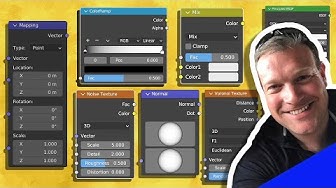
Learn the BASICS of Material Shading in BLENDER (Part 1)

Trump Preps for 80th Birthday, Threatens to Hit Iran, Knicks Historic Win & Elon Musk Trillionaire!?
