Transformé mi Mac vieja en la Consola Retro Definitiva (Guía Batocera)
Want to play your favorite retro games on any Mac, PC, laptop, or Raspberry Pi? Batocera is the perfect solution: a free system that turns your device into a retro console with support for over 70 classic systems like the NES, SNES, Sega, PlayStation, Dreamcast, and more. In this step-by-step guide, you'll learn how to: • Download and install Batocera • Configure your controller and system • Add your games (ROMs) and BIOS • Customize your experience with retro themes, shaders, and achievements Ideal for beginners and nostalgic users. Let's go back in time in style! Links: Batocera (program): https://batocera.org/ Balenaetcher (image to USB): https://etcher.tortulandia.com/ SCREENSCRAPER (covers): https://screenscraper.fr/ ⸻ Timestamps (chapters): 00:00 - Intro: What is Batocera 00:29 - What is Batocera? 00:46 - What you need 01:29 - Download and install Batocera 02:30 - Initial boot and configuration 03:21 - Controller configuration 04:45 - Adding ROMs and BIOS 07:21 - Customization and tricks 09:27 - Conclusion and final tips ——— 👉🏻Support the channel and get benefits by becoming a MovoTech member! / @movotech ———


How to turn your old PC into a Retro Console with Batocera!

🕹️Convertí tu PC en una CONSOLA que lo EMULA TODO con BATOCERA // Guía y Análisis 2023

¡¡ TRUCO !! 🛠️ Cómo CONVERTIR un Pc ANTIGUO en 🕹️ CONSOLA ARCADE RETRO con Batocera en 2020

Don’t Throw Old PCs — Install macOS and Be Amazed!

The Easiest Emulation Setup on Windows

The Ultimate Emulation Guide for 2026 | RetroArch & EmulationStation on PC

How To Play Retro Games on a Laptop (GUIDE)

Europa am Abgrund: Ukraine, Eskalation, Weltkrieg

Robotron - Computers from the GDR

American Reacts to How German Houses are Built! *INSANE*
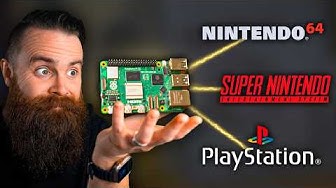
RetroPie: A Raspberry Pi Gaming Machine

Transform ANY PC into a Retro Gaming Console

🎮💥 Cómo CONVERTIR un PC antiguo en CONSOLA de JUEGOS RETRO | NETBOOK - NOTEBOOK - PC

Recalbox Raspberry Pi 5 Retro Game Emulation Pi5 Setup Guide

80 Scariest Tourist Attractions In The World

This Batocera Addon Changes Everything.. AGAIN

🕹️ Como convertir tu PC en una CONSOLA EMULADORA de JUEGOS RETRO // Guía y Analisis de LAKKA 2023

Tu propia consola de juegos retro en una memoria USB con Retrobat | 01

How to Make a $200 Retro Gaming Console
