SoundSwitch Setup Guide: DMX, Serato & MIDI Mapping Explained
Join DJ MOJOE's Free Community for Wedding DJs: https://www.weddingdjmastery.com Track ROI. Grow profit. Be smart. Get DJIQ: https://get.djiq.app Struggling to sync your lights? Here is the complete SoundSwitch setup guide. Is your lighting setup causing you stress before the gig even starts? In this video, I’m at the lab with my friend Jerry from GTZ Entertainment to solve that problem. We are stripping it down to the basics and building a fully automated light show using SoundSwitch, Serato DJ, and the Akai APC Mini. Whether you are a DJ wanting to master DMX addressing or a client curious about the level of production I bring to your wedding, this video covers the "how" and the "why" of professional lighting. We cover everything from the math behind DMX channels (so your lights don't glitch out) to mapping specific blackouts and strobes for those high-energy dance floor moments. In this video, you will learn: Hardware Setup: How to connect dongles, transmitters, and fixtures correctly. DMX Math: How to calculate addresses (Start at 1, add 8, next is 9!) so your fixtures respond individually. MIDI Mapping: Assigning faders and buttons on the APC Mini for live control. Static Looks: Creating specific scenes for First Dances, Speeches, and Dinner. Performance Mode: Syncing auto-loops with the beatgrid in Serato. 💡 Featured Gear: SoundSwitch Hardware & Software Akai APC Mini MIDI Controller Chauvet EZpar 64 RGBA Chauvet Intimidator Spot 260 LED Mini Moving Heads --- ⏱️ Time Stamps 00:00 - Intro: Helping Jerry with SoundSwitch 00:40 - The Gear: APC Mini, Dongles, and Fixtures 01:52 - DMX Addressing 101: The Math Behind the Channels 04:20 - Setting up LED Mini Moving Heads 05:40 - Software Setup: Adding Fixtures in SoundSwitch 09:12 - Pro Tip: Reversing Pan/Tilt for Symmetry 10:08 - MIDI Mapping the APC Mini (Faders & Buttons) 14:22 - Creating "Static Looks" for Dinner & Speeches 19:25 - Performance Mode: Syncing with Serato DJ 24:00 - Creating Auto-Scripts for Specific Tracks 28:15 - Using the Visualizer (No Lights Needed!) --- Connect with DJ Mojoe: Saving the city one party at a time. I help couples create unforgettable, stress-free weddings with high-end production and music curation. 👇 DJ MOJOE’s Gear List: https://kit.co/djmojoe See more behind-the-scenes and party highlights: / dj_mojoe If you found value in this video, hit that Like button and Subscribe for more DJ tips, gig logs, and event production insights! #DJ Mojoe, #SoundSwitch Tutorial, #SoundSwitch Setup, #Serato DJ Lighting, #DMX Lighting for Beginners, #Akai APC Mini Mapping, #DJ Lighting Setup, #Chauvet Intimidator Spot 260, #Chauvet EZpar 64, #How to use SoundSwitch.


SoundSwitch vs Wolfmix | Best DMX Lighting For DJs?

Upgrade Your DJ Light Show: SoundSwitch vs. Sound Active Mode

How to PROGRAM DMX Lighting - Beginners Guide

SoundSwitch for Dummies: A Complete Crash Course DMX Tutorial

SoundSwitch | Both Lighting BPM Spots 100 | Connecting them all together

DMX Lighting | A Musician's Guide to Stage Lighting
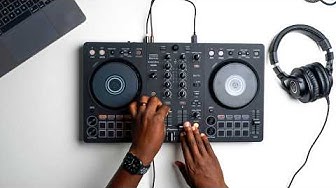
How TO DJ For Beginners (IT'S EASY)

DJ Lighting - SoundSwitch Control ONE Tutorial (SO EASY - NO DMX Programing)

Cheap vs. Expensive – Can an AliExpress moving head compete?

Getting Started

Atem Mini Pro Tutorial | The Essentials You Need to Know

Kompletter Aufbau - Ein Tag als Hochzeits DJ

ADJ MyDMX GO (Product Spotlight) | The easiest way to CONTROL your DJ LIGHTS Wirelessly

Timecoded Lightshow with E:Cue Live by M-SILVER

SoundSwitch Control One, 1-Year Long Term Review - SoundFire DJ

Back to Basics

SoundSwitch DMX Programming - Overview and Updates (@Both Lighting USA + @SoundSwitch )

Review: SoundSwitch Control One | Tips & Tricks

Soundswitch Tutorial For Beginners
