How to use the Fire Tablet 8 to control your SmartHome
You are taking these steps at your risk. Due to possible change in the software from time to time, these steps may work differently or not as expected. These directions are for the Kindle 8 tablet. Each link you will click on should open up a the Silk browser. 1. Swiped down from top of the Fire Tablet 2. Tap on Settings 3. Scroll down to the Personal section and tap on the Security option 4. Scroll down to the Advanced section and tap on Apps from Unknown Sources 5. Tap on OK about Ok to acknowledge the Warning displayed 6. Tap on OK if prompted 7. You will need to install the following - a. Google Account Manager b. https://www.apkmirror.com/apk/google-... c. Google Services Framework d. https://www.apkmirror.com/apk/google-... e. Google Play Services f. https://www.apkmirror.com/apk/google-... g. Google Play Store h. https://www.apkmirror.com/apk/google-... i. Notes: i. Download each APK ii. Install each APK in the order listed iii. Ignore the message about a newer version iv. Make sure you only click on the file and not any other downloads on the page displayed v. Tap on OK to acknowledge the file may damage your computer vi. Tap Open as each file is downloaded vii. Tap Install to install the APK you just downloaded viii. Tap Done ix. Repeat these steps for each file listed 8. When finished you should see the Google Play store app on your screen Another option is to open this link in the Silk browser built into the Amazon Fire 8 tablet - https://www.laptopmag.com/articles/ge... Just in case, here are the instructions to reset your kindle to factory default - To reset your Fire tablet: a. Swipe down from the top of the screen and tap Settings. b. Tap Device Options, and then tap Reset to Factory Defaults. c. Tap Reset to confirm. You will need to re-register the device with your Amazon account. ** Show Notes, Links and Resources *** Here are the items mentioned in this video - Fire HD 8 Tablet with Alexa https://amzn.to/2NjK3CF MoKo Case for All-New Amazon Fire HD 8 Tablet https://amzn.to/2tQxoPt =============================== Become a Patreon supporter / techbytesrn =============================== Please click on the Subscribe button to get notified when there is new content To view all of the videos in this series, please click on this link - • Create Your Own Smarthome Subscribe to TechbytesRN here: / techbytesrn To subscribe to the TechbytesRN newsletter, click here - http://eepurl.com/dkeba1 Visit http://www.ronaldnutter.com to see all the books Ron has written DISCLAIMER: This video and description contains affiliate links, which means that if you click on one of the product links, I’ll receive a small commission. This helps support the channel and allows me to continue to make videos like this. Thank you for the support! #smarthome #router #FireTablet


NestJS Full Course for Beginners in 2026 | Build a Production-Ready API
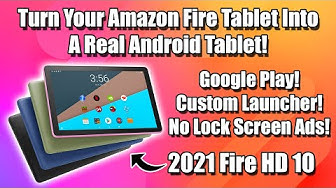
Easily Turn Your Fire Tablet Into A Real Android Tablet! HD10 HD7 HD8

248 DIOS TE DICE HOY: NADA ES IMPOSIBLE PARA MÍ | CONFÍA EN DIOS

ASMR Addictive Fast Tapping Collection For Deep Sleep & Anxiety Relief (No Talking) — 2.5 Hours

Built An Insane Long Motorcycle From Scrap To Haul 200+ Logs

Android 17 sucks. So I put Linux on a phone.

120 Days Of A Woman Hand Building A Strong Bamboo House Frame For A Beautiful Bamboo Home

The FULL VIDEO of Trump they didn’t want released

Amazon Fire HD 8 is a PERFECT control panel for Home Assistant

Gemini CLI Essentials – Full Course

Change These 17 Amazon Fire Tablet Settings NOW!

BARN FIND Pontiac Grand Prix Forgotten For 25 YEARS! Will It RUN AND DRIVE HOME?

A Blueprint for a Travelers SmartHome

Unbelievable Smart Worker & Hilarious Fails | Construction Compilation #7 #adamrose #smartworkers

What do tech pioneers think about the AI revolution? - The Engineers, BBC World Service

Unbelievable Smart Worker & Hilarious Fails | Construction Compilation #17 #fail #construction

How to make 3D Games in Godot

How to Organize Your Alexa Devices in the Updated Alexa App

How to Actually Build Mobile Apps with AI in 2026 | A Complete Beginner's Tutorial
