ESP32 WiFi Manager - No Hard Coding WiFi Credentials | Enter SSID & Password Wirelessly
ESP32 WiFi Manager - No Hard Coding WiFi Credentials | Enter SSID & Password Wirelessly Read the Article: https://www.electroniclinic.com/esp32... Related Video: Retrieve WiFi Passwords using ESP8266 WiFi Module • How to Retrieve WiFi Passwords Using ESP82... ESP32 Board Manager URL Link: https://www.electroniclinic.com/esp32... Support me on Patreon and get access to hundreds of projects: / electroniclinic Project Description: ***** Now, you can use WiFi Manager on your mobile phone to change the WiFi credentials (SSID and Password) on your ESP32 board wirelessly. You don’t need to connect ESP32 to your laptop or PC. No more hard coding for the SSID and Password! If you have created a project for personal use that connects to your WiFi router or mobile hotspot, and later you decide to change the router or hotspot SSID and password, then after changing the WiFi credentials, your ESP32 won’t connect anymore. You will need to physically connect your ESP32 to a laptop and manually update the SSID and password, then re-upload the program. You will have to repeat this time-consuming and tiring process each time you change the SSID and password of an existing WiFi network or want to connect to a new WiFi network. So, if you want to change WiFi credentials on your ESP32 wirelessly in just 1 minute—without any hard coding—then you should use WiFi Manager. It’s faster and easier than you might think! The biggest advantage of using WiFi Manager is this: let’s say you’ve made a product that you sell on Amazon or any other online store. Now, if someone buys your product, how will they change the SSID and Password? Obviously, you won’t give them the code. In this situation, they can use WiFi Manager to change the WiFi credentials (SSID and Password) on the ESP32 without hard coding. So, if you also want to sell your IoT-based products, make sure to watch this video until the end. You'll find many videos on WiFi Manager that explain how to change the SSID and Password. But no one has explained: • How to implement it in a working project. • How to save the SSID and Password in EEPROM and access them later from EEPROM. • How to use a button at a professional level, so the user can securely change their SSID and Password anytime using a cell phone or Laptop/PC. So, today, I am going to explain and show all of this in a practical way. And let me tell you, even though I am using the WiFi Manager Library, but still I have done 90% of the programming myself to simplify the code. Trust me, when you see the code, you will be amazed at how I have made such complex work so simple. So, without any further delay, let’s get started!!! ***** Product Links: ***************** ESP32 WiFi + Bluetooth Module (Recommended) https://amzn.to/3v40DkE Breadboard https://amzn.to/4e8y4DH DISCLAIMER: This video and description contain affiliate links, which means that if you click on one of the product links, I will receive a small commission. This helps support the channel and allows me to continue to make videos like this. Thank you for your support! **************** For more Projects and tutorials visit my Websites https://www.electroniclinic.com/ Follow me on Instagram: / electroniclinic Follow my Facebook Page Electronic Clinic: https://web.facebook.com/profile.php?... Follow my Facebook Group, Arduino Projects: / 190031841821771 Email: [email protected] #esp32 #wificredentials #ssidpassword


WiFiManager with ESP32 - Stop Hard-coding WiFi Credentials!

ESP32 Web Server Step by Step | Time, Temperature & Modern UI

How to Remotely Power On ANY Old Laptop (No Wake-on-LAN)

ESP32 OTA updates | Upload code to ESP32 wirelessly Over The Air

MAKE a DIY Security Camera with ESP32-CAM

10 ESP Projects That Will Make You Say "Why Didn't I Build This Sooner?"

This Board knows Where You Are! (UWB) EB#65

35 WiFi Manager with ESP32 || NO hard coding WiFi Credentials ||
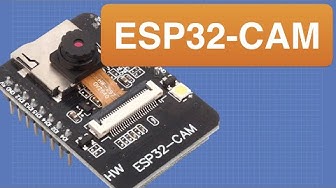
ESP32 CAM - 10 Dollar Camera for IoT Projects
![Everything you need to know about WiFi with the ESP32 (with and without WiFiManager) [ESP32 #2]](https://i.ytimg.com/vi/U4GaKrsXlPc/hqdefault.jpg?sqp=-oaymwEjCNACELwBSFryq4qpAxUIARUAAAAAGAElAADIQj0AgKJDeAE=&rs=AOn4CLCdhlMizpd6bWrS4Yg8NELWqd5V0w)
Everything you need to know about WiFi with the ESP32 (with and without WiFiManager) [ESP32 #2]

TRIPLE the WiFI RANGE of your ESP32 C3 using ONE wire! #esp32

ESP32 WIFI Tutorial - all feature you need to know

ESP32 Access Point and Router connection explained

You Can't Hide — mmWave Radar + LoRa Tracks You From Kilometers Away (No WiFi)

How to add WiFi Control to any project || ESP32 Beginner's Guide

ESP32 Guide 2026

ESP32: Build Your Own Smart Home Sensor in 10 Minutes

Connect ESP32 to WiFi - ESP32 Beginner's Guide

ESP32: Webserver, Websockets and JSON (WiFi Part 2) - Arduino
