Control Stepper Motor with Arduino - Tutorial
today i will guide you how to control a stepper motor with an arduino and a4988 stepper driver, we will see how to control its rotation speed with a potentiometer, and change its direction of rotation with a push button. components we will need; a stepper motor, an a4988 stepper motor driver, an arduino board, a 100k potentiometer push button 100mf capacitor breadboard and connecting wires. i have also written a code to run the motor on various speeds using a potentiometer to adjust the motor speed. you will find all the diagrams and arduino files here: https://goo.gl/15Ebo5 NOTE: arduino code is in folders above schematics :) buy stepper motors for cheap here: Stepper Motor NEMA 17: https://goo.gl/1zBdXx buy links for parts: (Global): Arduino UNO micro USB version: https://goo.gl/RNZS5Z Stepper Motor NEMA 17: https://goo.gl/L17oRL A4988 Driver: https://goo.gl/bcL5kZ Potentiometer 100Kohm: https://goo.gl/adwtoJ India: Arduino UNO: https://bit.ly/31I0FQf Stepper Motor NEMA 17: https://bit.ly/3mUykOU A4988 Driver: https://bit.ly/4br5Lj4 Potentiometer 100Kohm: https://bit.ly/3SXwNrr the A4988 stepper driver module has total 16 pins the vmot and ground pins are for the external power for the motor, you cannot power the motor from the arduino as it requires a minimum of 8-35 volts i use a 12 volts 2 amp external power supply. make sure you use a decoupling capacitor to avoid any unnecessary noise. the next 4 pins are of the stepper motor. you have to connect the pins with the right polarity, otherwise your motor wont work and make loud noises. you can determine the polarity of the motor using your multi-meter Each pair of same phase should have no resistance when measured with a multi-meter, so you have to check the pairs which have zero resistance and connect positive and negative of phase A to 1a and 1b, and accordingly for phase b it is better to check the polarity in the manufacturer information for your motor to avoid this hassle. you can also connect multiple stepper motors for similar actions in parallel until you do not exceed the current limit next you have to connect the reset and sleep pin to activate the driver. the a4988 uses 3.5-5 volts power so you can power it from the arduino 5v output connect the digital4 pin of the ardiuno to the direction pin and d3 pin to step pin of the driver. the ms1,2,3 pins are for enabling microstepping. you can connect 5 volt input to the pins to enable microstepping. there are 5 different modes for micro-stepping as shown in the table. it is also important to limit the current to the motor. you can do so by setting the potentiometer on the driver to around 30 degrees clockwise for 0.5 amps first we will run a simple code to run a full rotation and pause for 1 second. upload the code and you see the motor running. if not,make sure you have connected all pins correctly. and followed all the procedures i have also written a code to run the motor on various speeds using a potentiometer to adjust the motor speed. you have to connect the potentiometer wiper pin to a0 pin of the arduino, and connect 5v input in the first, and ground the third pin i have another code in which you can toggle the direction of the motor using a push button. hope you enjoyed the video, please do like share and subscribe, and thanks for watching! Solder Iron i Use: http://bit.ly/2GSArih Helping Hand Magnifier: http://bit.ly/2Uh11oe check out my other projects: DIY Lab Bench power Supply: • How to make Simple Lab Bench Power Supply ... DIY Dremel Tool: • DIY 3D Printed Dremel Tool Arduino 3D Printer : • How to Make 3d Printer at Home | Arduino 3... DIY on off Timer: • DIY Arduino Programmable On/Off Timer Swit... DIY Quadcopter: • How To Make Drone At Home (Quadcopter) Easy #steppermotor #steppermotorcontrol #steppermotortutorial #howtocontrolsteppermotor


Control a NEMA 17 Stepper Motor with A4988 Driver and Arduino - Full Guide

E181 Control Position and Speed of Stepper motor with L298N module using Arduino RJT181

How Stepper Motors Work - Electric motor

Big Stepper Motors with Arduino

Servo vs steppers: Speed, Torque and Accuracy

Beginner's Guide to Controlling Stepper Motors with Arduino
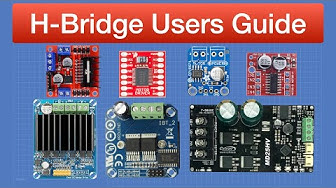
Driving DC Motors with Microcontrollers

The most ridiculous worker fails caught on camera

Unbelievable Workers Compilation | Working with Talented Engineers #45 #adamrose #smartworkers

Coordinated stepper motor control (arduino)

Arduino Beginners Getting Started With NEMA 17 Stepper Motor and The L298N Motor Driver Module

How to Stop, Reverse & Home Stepper Motors with Limit Switches

Stepper Motors and Arduino - The Ultimate Guide

Arduino Tutorial 28- Understanding How to Use a Stepper Motor

How to use a stepper motor driver for simple continuous rotation control

Unbelievable Smart Worker & Hilarious Fails | Construction Compilation #7 #adamrose #smartworkers

Arduino Tutorial 35: Understanding How to Use a Stepper Motor

Unbelievable Workers | Working with Talented Engineers #46 #fail #adamrose #smartworkers

How To Wire It! Stepper Motors
