Programming and Deleting Channels on a Baofeng BF-F8HP Radio
In this video we show how to add and delete channels from a Baofeng BG-F8HP radio. To add a channel 1. Switch to frequency mode. 2. Enter desired frequency using keypad. 3. Press ‘Menu’ 4. Select option ‘27’ via the keypad 5. Press ‘Menu’ (arrow should now point down) 6. Select an empty channel (does not contain the ‘CH-‘ prefix) 7. Press ‘Menu’ (you should hear ‘receiving to memory’) To delete a channel 1. Press ‘Menu’ 2. Select option ‘28’ via the keypad 3. Press ‘Menu’ (arrow should now point down) 4. Select an stored channel (contains the ‘CH-‘ prefix) 5. Press ‘Menu’ to delete


▶︎
BaoFeng BF F8HP - The Reason I Got my Ham Ticket!
▶︎
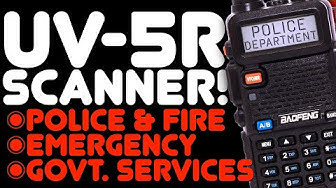
How To Use A Baofeng UV-5R As A Police, Fire, Emergency Scanner - NO SOFTWARE - Keypad Programming

▶︎
Why 2.6 Million People Can Push This Button But We Can't

▶︎
How to use the Baofeng BH-F8HP HAM Radio

▶︎
Using the BF-F8HP PRO CTCSS Subcode Scanner Function

▶︎
Program the BaoFeng BF-F8HP | CHIRP Software | BaoFeng F-F8HP programming tutorial

▶︎
Baofeng Basics-5 settings you probably want to change

▶︎
Baofeng Radios for Police Scanning?

▶︎
Baofeng UV5R Radio - Basic Settings to get you started

▶︎
Baofeng BF-F8HP - Program the radio from the keypad - Part 2

▶︎
Baofeng UV-5R For Beginners - Quick Start Guide & UV5R Basics: Buttons, Menus, & Saving A Channel

▶︎
Manually Programing a Repeater into the Baofeng BTECH BF F8HP Pro Ham Radio

▶︎
How To Use CHIRP Software To Program A Baofeng UV-5R. Using CHIRP for HAM, GMRS, and FRS Radios

▶︎
Baofeng UV-5R: Why Can't I Pick Up Any Signals? Why Your Baofeng Doesn't Receive Anything

▶︎
What frequencies do you need to program into your emergency radio

▶︎
How to Program the Baofeng BF-F8HP PRO with CHIRP #howto

▶︎
Baofeng UV-5R Plus and The BF-F8HP Comparison

▶︎
Listening to Astronauts ON THE ISS with a Baofeng UV-5R

▶︎
DMR Basics: How to Make an Amateur Radio Codeplug

▶︎