Blender for Scientists - Advanced Geometry Nodes Part 2 - Storing and Using Data (Read Top Comment)
This video is a walkthrough/tutorial of how I made the periodic table in Blender using geometry nodes and shader nodes. It focuses on how to store and using numerical data in geonodes to show trends, animate scenes, and create complex selections. The series of worked examples highlight specific animations, data handling, import, and design considerations. I also briefly allude to some advanced concepts for future consideration. The periodic table asset shown in this video is available for free on the cgfigures gumroad page and is linked below. 0:00 Intro and Outline 1:14 Storing Data in the Periodic Table 2:21 Storing Internal Data (Atomic Number) 3:00 Storing External Data by Index Matching 6:25 Easily Adding New Data to the Table 7:50 Data in the table as of release 8:54 How the Table is Built 9:40 Changing Fonts with the Elements Node 12:10 Making Simple Changes with the Modifier Panel 13:34 Using Instances to Place the Elements 14:55 Future Possibilities - Caching to Improve Performance and Data Import 16:43 An Advanced Concept - Single Object Storage 18:04 Using the Periodic Table Asset - User Facing Controls 20:51 Data in the Asset and Variable Names 21:16 Using the Asset Browser to Import the Table 22:06 Modifying the Table - Example 1 - Data Based Selections and Customization 28:45 Modifying the Table - Example 2 - Animation and Order of Operations. Working with Scale 33:48 Modifying the Table - Example 3 - Changing the Position of the Elements and Switching Between Positions 35:32 Modifying the Table - Customizing the Frames 37:09 Adding New Objects on the Table - Showing the Atomic Radius over Each Element 40:56 Using Data in Shaders - Selecting by Element Classification or Electron Shell Block 42:14 Interacting with Other Objects - The Cursor Object and Using Data from the 118 points versus from the Generated Table 47:02 Checking and Changing Data Values 50:14 A Brief Overview of 'Creating the Atoms' for each Element 59:33 Conclusion and Credits Periodic Table Asset: https://cgfigures.gumroad.com/l/ThePe... Looping Elements Animation: • CGFigures - Element Looping Animation Getting Started with Geometry Nodes: • Blender for Scientists - Getting Started i... Advanced Geometry Nodes Episode 1 • Blender for Scientists - Advanced Geometry... Brady's Molecular Nodes: • Molecular Nodes | Getting Started | Blende... Erindale's Video on Attribute Transfer: • Transfer Your Attributes - Geometry Nodes 101 Community Discord: / discord The CGFigures Asset Library: A compilation of most of what I've released/will release in one CC0 package: Free at: https://www.cgfigures.ca/assetlibrary Launch video: • Blender for Scientists - The CGFigures Ass... On Gumroad (if you'd like to pay to support it. More of this will go to me directly though I do donate to the blender dev fund every month as a gold level supporter): https://cgfigures.gumroad.com/l/TheCG... On Blendermarket (if you'd like to pay to support it and directly contribute to the blender development fund, 25% of the cost): https://blendermarket.com/products/th... For more CGFigures content checkout the links below: Patreon: / cgfigures Twitter: / cgfigures Instagram: / cgfigures Website: https://www.cgfigures.ca/ Blendswap: https://www.blendswap.com/profile/132... Gumroad: https://gumroad.com/cgfigures


Blender for Scientists - Advanced Geometry Nodes Part 1 - Variables

Blender for Scientists - Getting Started in Geometry Nodes
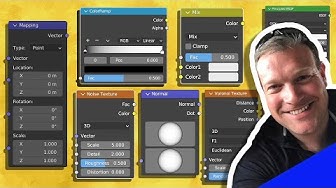
Learn the BASICS of Material Shading in BLENDER (Part 1)

sculpt in Zbrush cartoon #oc #sketchbook #cartoon #arttoy

How to TEXTURE EVERYTHING in Substance Painter

Blender Tutorial - Chemistry, Making 3D Models of Molecules, Making a Methane Molecule

Aesthetic Aura Background 3 hours

40Hz Binaural Gamma Waves - Ultra Deep Concentration

⏱ Pomodoro 30/10 📖 Rainy Jazz Café 🌧 4 Sessions | Jazz | Rainy Fireplace Ambience | No Midroll Ads

Vintage Spring Paintings For Your TV, Slideshow of Vintage Landscape Art, Spring Themed Frame TV Art

Learn To See What God Sees When He Looks At You

But what is quantum computing? (Grover's Algorithm)

⏱ Pomodoro 40/10 📖Fall Jazz Library ☕ 4 Sessions | Jazz | Fireplace Crackles | No Midroll Ads

Blender for Scientists - Complete Intro to 3D
![PINK & ORANGE GRADIENT IN HD [3 HOURS]](https://i.ytimg.com/vi/6ih8zppfQSQ/hqdefault.jpg?sqp=-oaymwE9CNACELwBSFryq4qpAy8IARUAAAAAGAElAADIQj0AgKJDeAHwAQH4Af4JgALQBYoCDAgAEAEYfyAsKBMwDw==&rs=AOn4CLDvw6mQM98bfl572zfE7r4GdUG8dg)
PINK & ORANGE GRADIENT IN HD [3 HOURS]

Life Success Subliminal - 432 Hz + 528 Hz Healing Frequency on Theta Binaural Beat

But what are Hamming codes? The origin of error correction

Welcome Home Sign / 4K / Wallpaper / Screensaver / TV Art / Frame Art

🔥 GOD UNLEASHES the Truth | Psalms 23, 35, 91 and 112 To Break Curses and Activate Abundance
