Raspberry Pi 4 + Intel's RealSense D435 Depth Camera Step-By-Step Installation
• Your support helps me post videos more frequently: / acrobotic https://www.paypal.me/acrobotic https://buymeacoff.ee/acrobotic BTC: 1ZpLvgETofMuzCaKoq5XJZKSwe5UNkwLM ========== • Find me on: / acrobotic / acrobotic / acrobotic ========== • My shops: https://acrobotic.com/shop https://amazon.com/shops/acrobotic ========== • Description: This tutorial is part of a series where the goal is to build a Raspberry Pi-powered, small-scale driverless car based on Computer Vision and Reinforcement Learning. It is based on the Open Source, community-backed project: Donkey Car (https://www.donkeycar.com/) In this video I go over the steps for getting the Intel RealSense D435 Depth Camera working with a Raspberry Pi 4. Starting with a newly flashed image of Raspbian OS, I follow all the necessary steps for configuring Raspbian, and installing the software to get the device working. ========== • Related vids: Set up the linux-based Raspbian Operating System: • Raspberry Pi 4 as a Linux PC Set up Raspbian for access without a keyboard, monitor, and even a Wi-Fi connection: • Raspberry Pi 4 SSH Setup With and Without ... (complete) • Raspberry Pi 4 Headless Setup | First Boot... (summary) ========== • Project parts: Intel RealSense D435 Camera: https://amzn.to/2SxXJhM Raspberry Pi Robocar Kit (unassembled): https://amzn.to/3b4f6xN (affiliate) Raspberry Pi Robocar Kit (assembled, pre-programmed): https://acrobotic.com/products/robocar ========== • Tutorials: The steps are outlined in the Wiki for my Raspberry Pi Demos repository: https://github.com/acrobotic/Ai_Demos... ========== • Music: Epidemic Sound (https://epidemicsound.com). Standard YouTube License. ========== #RaspberryPi #Robotics #Tutorial


Open-source SLAM with Intel RealSense depth cameras

Building Hollywood Motion Capture from Scratch

CinePi: Raspberry Pi Cinema Camera

Depth Camera - Computerphile

Raspberry Pi Cameras - The BIG Picture

I Control EVERYTHING with this Raspberry Pi

Intel RealSense D435I vs D455 Range and Accuracy Comparison

Connect Intel Realsense with Python and OpenCV

NVIDIA Monopoly is DEAD | OPEN-SOURCE Chips Are HERE!
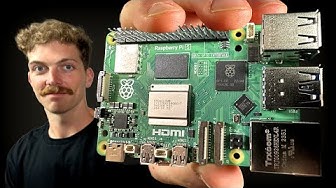
Every Developer Needs a Raspberry Pi

RealSense vs. OAK vs. ZED vs. Azure Kinect vs. Mech Mind 3D cameras comparison

Visual navigation for wheeled autonomous robots – using Intel® RealSense™ Tracking Camera T265.

Openplotter instruction video for Raspberry Pi

Raspberry Pi Zero W Surveillance Camera

Why did Raspberry Pi make their own SSD?

Choosing the Right Depth Camera for your Interactive Floor or Wall

#227 The ugly truth about LIDARs for obstacle avoidance (RPLIDAR A1, Arduino, ESP8266)

Make your Own Raspberry Pi 4 Boxing Game with intel realsense Depth Camera
![Ai Camera Vs Pi Camera 3 [Raspberry Pi]](https://i.ytimg.com/vi/MJODgMNrC4Q/hqdefault.jpg?sqp=-oaymwEjCNACELwBSFryq4qpAxUIARUAAAAAGAElAADIQj0AgKJDeAE=&rs=AOn4CLBrjMEgYRfJ8jiY36eHexSUCDSU_g)
Ai Camera Vs Pi Camera 3 [Raspberry Pi]
