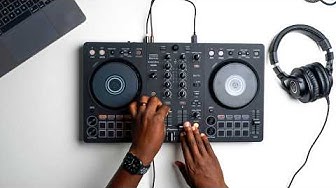
No Vinyl Mode Button on the DDJ-400? No Problem! - DDJ 400 Vinyl Mode Tutorial
Many DJ's don't like using vinyl mode on their jog wheels. Preferring to use the CDJ mode to allow touching the top of the jog wheels without scratching or stopping the track. However the DDJ-400 doesn't have the button to toggle between the modes. In this tutorial, we are going to show you two methods to reinstate this control either by using your computers keyboard or by MIDI mapping the controller. Download the MIDI Map file: http://wearecrossfader.co.uk/blog/how... Sign up on our website to access free lessons, join our community forum and access free DJ music and resources. http://bit.ly/wearecrossfader Follow our socials: Instagram - http://bit.ly/crossfaderInstagram Facebook - http://bit.ly/crossfaderFacebook


▶︎
The Only 5 Transitions You Need as a Beginner DJ

▶︎
The Only 3 Tricks You Need for DJing in 2026

▶︎
EVERY Pioneer DJ DDJ FLX-4 performance pad explained

▶︎
7 (Hidden) Features On Pioneer DJ's FLX10 Controller 🤫

▶︎
5 Hidden Features Of The DDJ-400

▶︎
EVERY button explained on DJ gear - DDJ FLX 4

▶︎
How To Use EVERYTHING On Your DJ Equipment (FLX4)

▶︎
How to practice DJing everyday

▶︎
How to DJ for Beginners (2026)

▶︎
The most ridiculous worker fails caught on camera
▶︎
How TO DJ For Beginners (IT'S EASY)

▶︎
10 MUST KNOW DJ Mixing Techniques (Beginner to Pro)

▶︎
This One DJ Trick Will Take Your Mixing to the Next Level

▶︎
How I PLAY: Carl Cox MODEL 1 DJ Set-Up

▶︎
How to DJ like a GOD

▶︎
Learn to DJ - (Pioneer DJ - DDJ-200)

▶︎
Map STEMs to Your DJ Controller - Updated for Rekordbox 7.2

▶︎
DDJ-FLX10 4-channel performance DJ controller - Overview

▶︎
The BEST Rekordbox DJ Trick!? (Unknown By Most!) | Kadence

▶︎