Basics 02: Installing OpenPLC Runtime
On Basics 02 you will learn how to install OpenPLC Runtime on Windows, Linux and Raspberry Pi. Additionally, you will see how to upload a program and run it. Windows: 00:38 Linux: 05:24 Raspberry Pi: 11:09 Runtime usage: 19:01 Please consider supporting OpenPLC by joining our Patreon: / openplc OpenPLC Friends: Freewave FACTS Engineering


▶︎
Basics 03: Programming an Arduino Board with OpenPLC

▶︎
Install and Run Lidar In ROS2, Ubuntu, and Raspberry Pi - Complete Tutorial

▶︎
How to Install Ubuntu on Raspberry Pi 4 | A Complete Guide

▶︎
Basics 04: OpenPLC on Raspberry Pi with Modbus

▶︎
How to Use TYPO3 Categories in Your Extension

▶︎
Basics 01: Installing OpenPLC Editor

▶︎
OpenPLC and Arduino Part1.2 : Getting started and first project

▶︎
Advantages of Embedded Linux in Industrial Automation and IIoT - Benson Hougland, Opto 22

▶︎
OpenPLC Walkthrough: Installing Virtual PLC on the Edge device

▶︎
Introduction to Zephyr Part 1: Getting Started - Installation and Blink | DigiKey

▶︎
The Man Who Ran Putin's Secret Hit Squad

▶︎
OpenPLC v4 Tour - Irrigation Controller Part 2
▶︎
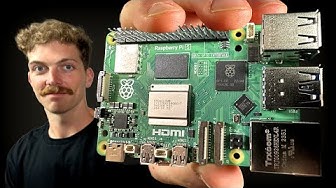
Every Developer Needs a Raspberry Pi

▶︎
Stop the spying! Fix It with a Raspberry Pi + Pi-hole + Unbound (Best/Fastest Guide)

▶︎
Basics 05: Expanding PLC IOs with OpenPLC Slave Devices

▶︎
CODESYS Basics | What is CODESYS and Why is it Important?

▶︎
10 years of embedded coding in 10 minutes

▶︎
The Future of Home Computing: Radical Changes Ahead?

▶︎