Simple ESP32-CAM Object Detection
Train an ESP32-CAM for Object Detection using a free Edge Impulse account. All without writing any code! Article with full instructions: https://dronebotworkshop.com/esp32-ob... More articles and tutorials: https://dronebotworkshop.com Join the conversation on the forum: https://forum.dronebotworkshop.com Subscribe to the newsletter and stay in touch: https://dronebotworkshop.com/subscribe/ Object Detection is a Machine Learning (ML) technique that uses a computer with a camera to identify classes of objects it has been trained to recognize. Although this used to require massive computers and large datasets, it is now possible to perform decent object detection using microcontrollers. While most microcontroller-based object detection projects use 64-bit chips like the powerful Kendryte K210, you can also use a 32-bit ESP32 to get the job done. And that’s exactly what we will do today - take a 9-dollar ESP32-CAM board and train it to detect objects. I’ll be using a lantern battery and Robie, a 40-year-old Radio Shack robot, as my two “test objects” We’ll train a model using the powerful online neural network services of Edge Impulse; you’ll need an account, but don’t worry, it’s completely free. Once we have our model trained, we’ll export it in the form of an Arduino Library. The library even includes a sample sketch we can use to test our model; no code to write! I’ll try it on an ESP32-CAM and ESP-EYE board. Here is the Table of Contents for today's video: 00:00 - Introduction 02:34 - Object Detection 06:27 - Edge Impulse 08:15 - Workflow 10:47 - Look at ESP32-CAM & ESP-EYE 12:48 - Capturing Images - Webcam Setup 14:34 - Edge Impulse Setup 15:39 - Image Capture 17:57 - Label Images 20:32 - Create an Impulse 24:52 - Export to an Arduino Library 25:25 - Importing Library to Arduino IDE 27:41 - Testing with ESP-EYE 29:43 - Testing with ESP32-CAM 32:04 - EloquentESP32CAM Library 34:14 - Collect Images Sketch 35:35 - Capturing Images - ESP32-CAM 39:12 - Import & Label with Edge Impulse 42:46 - Build & Deploy Impulse 46:45 - Testing with ESP32-CAM 48:28 - EloquentArduino Code & Demo 51:32 - Conclusion 53:25 - Robie the Robot! I will actually show you two methods of capturing images of your subject(s) - using a webcam or using the ESP32-CAM board itself. I’ll also introduce you to a library that can make doing all of this a lot easier. The results are good, good enough to consider using the ESP32-CAM as an inexpensive object detection sensor. Hope you enjoy the video!


LoRa - Long-Range Radio for IoT | Arduino, ESP32, RPI Pico

(AI-Designed) Dual Robot Arm Controller - Designing with AI

Getting Started with Wireless IoT at Blues

ESP32 Guide 2026

The World's Most Important Machine

12c Connecting MQTT and ESP32

How to do Object Detection using ESP32-CAM and Edge Impulse YOLO Model

Object detection ESP32 CAM + Python Yolov8 | Computer vision tutorial

IR Remotes & Microcontrollers - Arduino & ESP32

ESP32 Non Volatile Storage - FRAM, Flash & EEPROM

I Hacked This Temu Router. What I Found Should Be Illegal.

Don’t Buy the Wrong ESP in 2026 - Ultimate ESP Comparison Guide

ESP32 AI Voice Assistant – 100% Offline Using Agentic Coding

ESP32-CAM MicroSD Card - Saving images with the ESP32-Cam

10 ESP32 Pro Features: Take your Projects to the Next Level!

I Tried to Make a Better Fan
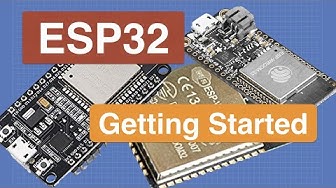
Introduction to ESP32 - Getting Started

ESP32-CAM Security System EXPOSED: Motion Detection + Phone Alerts Tutorial

Don't Pick the Wrong OLED! I²C and SPI Explained for Arduino & ESP32
