Start Blender the Right Way – Blender 4.5 LTS Beginner Series | Part 3 | Modifiers in Blender
#blender3d #3dmodeling #course Welcome to Part 3 of the Blender 4.5 LTS Beginner Series by PerfectManus. In this part, we dive into Modifiers in Blender — powerful, non-destructive tools that help you improve and shape your models without permanently changing geometry. Modifiers are a core part of an efficient Blender workflow, especially for beginners learning clean and flexible modeling techniques. In this video, you will learn: • What modifiers are and why they are important • Subdivision Surface modifier for smooth geometry • Bevel modifier for adding realistic edges • Solidify modifier for giving thickness to objects • How to combine modifiers safely • Beginner-friendly modifier workflow This tutorial is ideal for: • Beginners learning Blender step by step • Users upgrading from older Blender versions • Artists interested in clean, low-poly to smooth workflows • Anyone who wants non-destructive modeling skills If you haven’t watched Parts 1 and 2 yet, it’s highly recommended to start there to understand the interface and Edit Mode before using modifiers. Support the series by liking the video, subscribing to PerfectManus, and sharing it with others who want to learn Blender the right way. ▶ Series: Blender 4.5 LTS Beginner Series ▶ Part: 3 ▶ Topic: Modifiers in Blender ▶ Modifiers Covered: Subdivision Surface, Bevel, Solidify ▶ Skill Level: Beginner ▶ Blender Version Used: Blender 4.5 LTS


Blender Beginner Course – Part 4 Array • Materials • Isometric Scene PerfectManus

6 Blender Hard-Surface Modeling Tricks I Wish I Knew Earlier

The COMPLETE Blender Product Animation Course | Chapter 1: Serum Bottle Advertisement

Blender 4.5 LTS Beginner Tutorial – Interface, Panels & Controls | Part 1

Woven Earth Vase | Realistic Basket Style Modeling in Blender 3D

Getting started - Blender for complete beginners

Blender 5.0: How to UV Unwrap Anything

My Golden Retriever Heals a Terrified Rescue Kitten in Just 3 Meetings!

Why The Russian Accent Terrifies Everyone

America Copied Germany’s Jerry Can — But Missed The One Genius Detail that Made All the Difference

Unbelievable Smart Worker & Hilarious Fails | Construction Compilation #18 #construction #adamrose

These Johnny Depp Bloopers Are ABSOLUTELY Hilarious!

WHO IS STRONGER? Anatoly VS Bodybuilder | Pretended to be a CLEANER

Blender Tutorial for Beginners

Blender 4.5 LTS Motion Graphics – Class 04 | Spiral Wall Animation (Isometric Continuation)
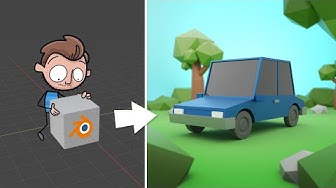
The World's Easiest Blender Tutorial for Beginners

Everyone Thought It Was FAKE... Until They Started Floating in Mid-Air!

MIT Explains the 12 Possible Endings for AI
