Instalación del ESP32 con Driver chino CH340 en Arduino IDE | Tutorial PASO a PASO + Ejemplo BLINK
Hello makers! 👋 In this complete tutorial, you'll learn how to install the CH340 driver for your ESP32, configure the board in the Arduino IDE, and program a basic BLINK example using the onboard LED (pin 2). Perfect for beginners! 🔽 Important links to free resources: CH340 Driver: https://drive.google.com/file/d/1vUoT... ESP32 Board URL: https://dl.espressif.com/dl/package_e... BLINK Code (pin 2): https://drive.google.com/file/d/1lNDM... ⏳ Timestamps: 00:00 - Differences between ESP32 CH340 and ESP32 CP2102 02:08 - Installing the ESP32 Board in the Arduino IDE 05:28 - Installing the CH340 Driver Windows/macOS/Linux 6:05 - Connecting the ESP32 and Selecting the COM Port 6:40 - Programming BLINK on Pin 2 of the Onboard LED 7:57 - Flashing the Onboard LED 🛠️ What you'll need: ESP32 board with CH340 (or CP2102). USB data cable - Type-C to USB. Arduino IDE installed 🚀 Why watch this tutorial? You'll learn how to fix the "COM port not detected" error. You'll properly configure the ESP32 in the Arduino IDE. You'll see a practical example with the onboard LED. 📌 Don't forget to subscribe! 🔔 If the video helped you, give it a LIKE and share it with someone who needs it. Leave your questions in the comments! #ESP32 #ArduinoIDE #CH340 #ElectronicsTutorial #robotics #esp32ch340


Things they never told you about the ESP32 and ESP8266

Programming ESP32 with Arduino IDE

Cómo instalar ESP32 - Guia completa de instalacion y configuracion + Driver (2023)

Blue gradient background - screensaver, mood lighting, ambiance, TV art, focus, study

Save Battery Life on Your ESP32 - How to Make a custom PCB

Incredible Moments Caught on Camera !

200 Genius TOOLS That Will Blow Your Mind!

Arduino Uno Q First Look: Setup, Features & What's New
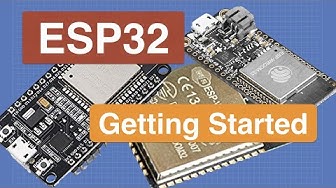
Introduction to ESP32 - Getting Started
![PINK & ORANGE GRADIENT IN HD [3 HOURS]](https://i.ytimg.com/vi/6ih8zppfQSQ/hqdefault.jpg?sqp=-oaymwE9CNACELwBSFryq4qpAy8IARUAAAAAGAElAADIQj0AgKJDeAHwAQH4Af4JgALQBYoCDAgAEAEYfyAsKBMwDw==&rs=AOn4CLDvw6mQM98bfl572zfE7r4GdUG8dg)
PINK & ORANGE GRADIENT IN HD [3 HOURS]

Arduino To ESP32: How to Get Started!

ESP32-C3 Super Mini Tips You Won’t Find in the Datasheet

🔴 ESP32 Digital inputs and outputs

Unbelievable Smart Worker & Hilarious Fails | Construction Compilation #7 #adamrose #smartworkers

Before You Trash Your Old PC Power Supply... Build This!

ESP32 - Introduction and Applications - Complete Guide

Billions of People Don't Know This Secret 😱 Turn an old washing machine motor into FREE Energy 247

ESP32 CAM Connection and Configuration from Scratch Step by Step

From Arduino to ESP32: How to get started!
