Build your own Local Echo for Home Assistant - Easier than you think!
Build your own Echo Replacement fro $50 or less. I also have a guide to go along with this video at : https://www.slacker-labs.com/setup-a-... Other important Links: Link to Home Assistant guide on setting up local Assistant Pipeline: https://www.home-assistant.io/voice_c... Link to Original Walkthrough - https://github.com/rhasspy/wyoming-sa... YAML Code Mentioned in video: https://github.com/thejeffreystone/Sl... 3d Printed Cases: Smaller one - https://www.thingiverse.com/thing:470... Bigger One - https://www.thingiverse.com/thing:476... Affiliated Links: Raspberry Pi Zero W 2 - https://amzn.to/4bonMNK Raspberry Pi Zero W 2 Kit - https://amzn.to/4eI95Is Respeaker 2 Mic Hat - https://amzn.to/3VGHVsK Small Speaker - https://amzn.to/3RNKojT Bigger Speaker - https://amzn.to/3zlhFwx Hammer-in Headers - https://amzn.to/4cA20ro Hammer in Jig - https://amzn.to/45L5Njr Video Chapters: 00:00 - Build your own Local Voice Assistant for $50 - Intro 01:09 - Prereqs to build a local Voice Assistant 04:35 - Prep the Raspberry Pi Zero 2 W - Flash the OS 07:16 - Installing the software for the Wyoming Satellite - Step 0 - SSH Into the Pi 08:40 - Step 1 - Update the OS 09:04 - Step 2 - Install Git 09:27 - Step 3 - Clone Wyoming Satellite 09:52 - Step 4 - Install Respeaker Drivers 10:43 - Step 5 - Reboot 11:05 - Step 6 - SSH Back in to the Pi 11:24 - Step 7 - Install Wyoming Satellite Dependencies 12:05 - Step 8 - Test your Progress 12:33 - Step 9 - Make sure your ReSpeaker Hat is detected 13:10 - Step 10 - Record a test 13:43 - Step 11 - Playback Test Audio 14:09 - Step 12 - Make sure the Wyoming Satellite will run 14:56 - Step 13 - Create the Wyoming Service 16:25 - Step 14 - Enable the Service 16:41 - Step 15 - Check that Service is running 18:30 - Step 16A - Add Wyoming Satellite to Home Assistant 19:01 - Step 16B - Audio Enhancements 20:14 - Step 17 - Install Local Wake word Dependencies 20:51 - Step 18 - Clone Open Wake Word 21:31 - Step 19 - Setup Local Wake Word 21:56 - Step 20 - Create Local Wake Word Service 22:48 - Step 21 - Add Local Wake Word to Wyoming 24:36 - Step 22 - Test your Wake Word 25:03 - Step 23 - Enable the LEDs 26:31 - Step 24 - Create LED Service 28:59 - Button up Jarvis 29:43 - Jarvis - Setup your own commands 34:51 - Its not Perfect... Correction: 07:03 You should really turn off the Pi before connecting the Pi Hat Who am I? My Name is Jeff. I am an DIY-er and Automator of boring things. And, of course, a huge Home Assistant fan. Oh, I also live in a house that tweets. Follow Me: Github - https://github.com/thejeffreystone Twitter - / thejeffreystone / / slackerlabs On the Web - https://slacker-labs.com/ Discord - / discord And if you like this video you could always fuel my automation habit - Buy a Slacker Labs T-shirt: https://slackerlabsmerch.square.site/ One Time Donation: Paypal: https://www.paypal.com/paypalme/Slack... Cash App: $slackerlabs Buy me a coffee: https://www.buymeacoffee.com/icE6DeBut . Or use my Amazon affiliate link which provides a small commission on things you buy without additional cost to you - https://www.amazon.com/s/ref=as_li_ss...


Private vs. Cloud Voice Assistants (Home Assistant Voice, Satellite 1, Amazon Echo)
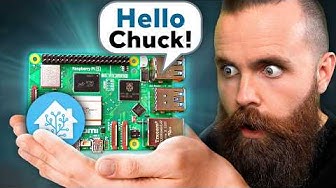
my local, AI Voice Assistant (I replaced Alexa!!)

Everything You Need to Automate in Home Assistant

Building an ESP32 powered IP KVM

Block Ads on ALL DEVICES (Smart TVs) — Simplest Pi-hole Tutorial

Voice Assistant Game Changer? King of Value M5stack Echo Pyramid First Look&Home Assistant Tutorial

Trump Sends Vance to Concede to Iran & Reflecting Pool Is Filled with Corruption | The Daily Show

Home Assistant made their own Alexa!!

Build your own Home Assistant voice assistant!

GivEnergy Local Control Tutorial - Including Remote Access (2026) - BEGINNER FRIENDLY!

I Built My Own Alexa

An Easy Way to Make your Voice Commands Smarter in Home Assistant

How does the Third Reality Voice Dev Edition Compare with Home Assistant Voice PE?

Home Assistant Setup Made Easy: The Ultimate Guide

3D Print the World’s Best AI Voice Assistant (DIY)

This new smart speaker will change everything!

I Control EVERYTHING with this Raspberry Pi

Cloning my Voice Into an AI Assistant

Home Key mit einem ESP32 nutzen (HomeKey-ESP32)
