Excel Analysis Without Pivot Tables | SUMIFS, COUNTIFS & Unique Values
🔵FILE: https://jopaexcel.com/wp-content/uplo... In this Excel video tutorial, we will learn how to analyze data in Excel using only formulas and functions, without creating Pivot Tables. In this tutorial, I show you how to work with a sales report and build useful analysis using formulas like SUM, SUMIFS, and COUNTIFS. You will also learn how to copy and paste data, remove duplicates, create a unique list of values, and use that list to build drop-down menus or formula-based reports. One of the main examples in this video is how to count unique order IDs correctly. In a sales report, the same order ID can appear in multiple rows when a customer buys more than one product in the same order. Because of that, counting all rows would give the wrong result. Instead, we need to count each order only once. Use SUM to calculate totals, Use SUMIFS to summarize sales based on criteria, Use COUNTIFS to count records based on conditions, Remove duplicates to create a unique list, Create lists for drop-down menus, Analyze sales data without Pivot Tables, Count unique orders without counting repeated rows. This is a great Excel tutorial for beginners and anyone who wants to improve their data analysis skills using formulas instead of Pivot Tables. #JopaExcel #Howto #Excel


I don't use Pivot Tables in Excel anymore, I do this instead

Build a Dynamic Excel Report from Scratch (Even If You're a Beginner)

You Don’t Need VLOOKUP or XLOOKUP Anymore 😢 Use Pivot Tables Instead

How to Pass an Excel Test for a Job Interview (Step by Step)

Stop Sending Ugly Pivot Tables to Your Boss

Microsoft Excel 2021/365 Tutorial: 3.5+ Hours of Advanced Excel Training Course

10 Mind Blowing Excel Tricks I Wish I Knew Earlier

Master Pivot Tables in 10 Minutes (Using Real Examples)

Excel PivotTables Made Easy in 2026 (+ What's Changed!)
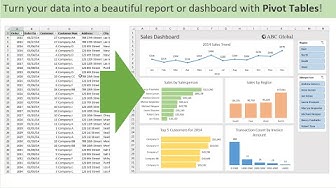
Introduction to Pivot Tables, Charts, and Dashboards in Excel (Part 1)

Excel Tutorial for Beginners

The only 3 formulas you need in Excel are: Subtotal, IF and Pivot Tables

ART SCREENSAVER FOR YOUR TV | NO MUSIC | 2Hour | Abstract neutral art

Stop Repeating Formulas! Use Excel’s MAP Function Instead

8 Tiny Excel Symbols That Replace Messy Formulas

Best Pivot Table Design Tips to Impress Anyone

40Hz Binaural Gamma Waves - Ultra Deep Concentration

10 Advanced Pivot Table Tricks to Make you an Excel PRO

Excel for Beginners - The Complete Course
