How to setup the Pi1541 with an E-mu SP 12 Turbo
Here's how to set up a Pi1541 Commodore 64 Floppy disk emulator using a Raspberry Pi Zero W and PiDRIVE ZERO Raspberry Pi HAT with your E-mu SP 12 Turbo. I go over how to save and load sounds and sequences, where to buy the items in this video and how to set it all up. No configuration should be necessary once you burn my SD card image to yours. Please note I'm using a 2GB card, so this might effect the size of your SD card. Cheers. 1. Get the PiDrive Zero Pi HAT 2. Get a Pi Zero W with GPIO pin headers 3. Get a Serial cable 4. Get a Micro SD Card 5. Seat the Pi Hat into the GPIO pin headers of the Pi Zero 6. Format SD card for FAT32 7. Download my SD card .img file (link below) 8. Extract the PiZero Image.zip 9. Download Win32 Disk Imager 10. Write .img file to SD card 11. Securely eject SD card 12. Insert the burn SD card into the Pi, plug in power 13. Plug in serial cable into SP 12 Turbo and Pi Hat 14. Button layout from top to bottom: -Enter -Up -Down -Jump out folder -Jump in folder 15. To save sound: on Pi Hat, Jump in 1541 folder \ select - SoundDisk.G64 \ Hit Enter \Disk in Pi is now loaded On SP 12: Hit Casette / Disk \ Press: 2,2, Enter 16. To Load Sound: On PiHat - Select soundisk.G64 (containing sound) \ Hit Enter On SP 12: Hit Casette / Disk \ Press: 2,5, Enter 17. To Save Sequence: on Pi Hat, Jump in 1541 folder \ select - SequenceDisk.G64 \ Hit Enter \Disk in Pi is now loaded On SP 12: Hit Cassette / Disk \ Press: 2,1, Enter 18. To Load Sequence: on Pi Hat, Select - SequenceDisk.G64 \ Hit Enter \Disk in Pi is now loaded On SP 12: Hit Cassette / Disk \ Press: 2,3, Enter Notes: If you need more disks, simply make copies of the existing disks on your PC. Sounds disk 1 and disk 2 have some drums and a horn sample. You may need to format some of these disks. Simply hit 2,0, Enter on the SP12. All background beats were produced by me. I have not uploaded to soundcloud in many years: / eclectic-flex Links: PiDRIVE ZERO https://www.ebay.com/itm/PiDRIVE-ZERO... Raspberry Pi Zero (Find a seller in your Country for faster delivery): https://www.ebay.com/itm/Raspberry-Pi... Serial Cable for Commodore 64 C64 Disk Drive 1541 3 ft DIN 6 PIN: https://www.ebay.com/itm/Serial-Cable... SD Card Image File: https://mega.nz/file/OclykaCa#7-Tu_V1... Win32 Disk Imager: https://sourceforge.net/projects/win3... Pi1541 Resources: https://cbm-pi1541.firebaseapp.com/


Trump Meddles in USA World Cup Game & America's 250th Takes a Nosedive | The Daily Show

The Ultimate Amiga Setup on a Raspberry Pi

The True History of the Legendary SP1200

How Rob Hubbard’s C64 music player worked

The Complete X-Copy Story: From Floppy Copier to Legend

"The only cassette mechanism being made" myth BUSTED!

How to cut up breakbeats on the E-Mu SP1200

SP12 Turbo IS BACK AGAIN! Warm, crackly, crunchy GOODNESS!

Pi1541 How to get started

The Ultimate Version of the Worst 1980's Micro?

Amiga Samplers : Budget dance music in 1990

Emu SP12 to sd

Beat made with VHS tapes on the Akai S950 E-MU SP12 Combo! 12 Bit Grit

DFACE DXA on EMU SP12 and SP1200 //E-MU SP-12 & SP-1200
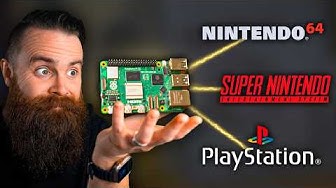
RetroPie: A Raspberry Pi Gaming Machine

I Hate These...

How To Replace Your Emu SP1200 /SP12 Outputs Capacitors (Fix E-Mu SP 1200 / SP12 Distorted Outputs )

Video projectors used to be ridiculously cool

Do This Before You Solder Anything
