Stop Running Out of ESP32 Storage! Add Winbond 25Q128 Flash Memory
In this video, I show how to add external flash storage to an ESP32 project using the Winbond 25Q128 SPI flash memory chip. As ESP32 projects grow, internal storage can become a serious limitation, especially when we need to store web dashboard files, RFID cards, user records, settings, logs, and other permanent data. To solve this, I connected a Winbond 25Q128 flash IC with the ESP32 and integrated it into my existing FM225 facial recognition and RDM6300 RFID access control project. In this tutorial, you will see how the Winbond flash chip is connected, detected, and used to store web interface files and RFID card data permanently. We also use agentic coding in VS Code with PlatformIO to refactor the project, add Winbond storage support, display storage usage in the web dashboard, and dynamically add or delete RFID cards from the web interface. This video is mainly about understanding how external SPI flash storage works with ESP32 and how it can make bigger ESP32 projects more powerful and professional. Watch the previous videos: FM225 Facial Recognition Project: • FM225 Face Recognition Module with ESP32-S... Agentic Coding with VS Code and PlatformIO: • Complete ESP32 Setup for Beginners (VS Cod... Commands used: pio run pio run -t upload Web seed URL: http://192.168.4.1/api/storage?cmd=seed_web srouce code available at: https://github.com/arslansadiq87/winb... Topics covered: ESP32 external storage Winbond 25Q128 flash memory SPI flash with ESP32 Store web files on ESP32 Save RFID cards permanently RDM6300 RFID card management ESP32 web dashboard PlatformIO firmware upload Agentic coding with Codex If you enjoy ESP32, AI, sensors, 3D printed electronics, and real hardware projects, subscribe for more upcoming builds. #ESP32 #Winbond #25Q128 #SPIFlash #PlatformIO #Arduino #RFID #RDM6300 #ESP32Project #AgenticCoding #VSCode #Electronics #DIYElectronics #EmbeddedSystems #IoT


The Best Air Sensor is One You Can Make Yourself

5 ESP32 Hardware Tips Every Maker Should Know

NVIDIA Monopoly is DEAD | OPEN-SOURCE Chips Are HERE!

I Found Hidden Wires… Then the CTO Emailed Me.

I built a custom minimal phone from scratch: TERMINUS

Android 17 sucks. So I put Linux on a phone.

I Hacked This Temu Router. What I Found Should Be Illegal.

The AI Take Over Has Completely Backfired and I Can't Be Happier

AI Did This.

7 NEW AliExpress Finds

Claude Fable 5 is BANNED. What to do?
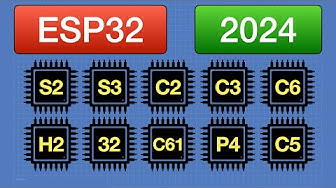
ESP32 Guide 2024 | Choosing and Using an ESP32 Board

FM225 Face Recognition Module with ESP32-S3 (VS Code + PlatformIO + AI Agent)

Revealing The SPECIAL TECHNIQUE Of A Pakistani Man To EXTRACT GOLD From Used Motherboard Waste

Don’t Buy the Wrong ESP in 2026 - Ultimate ESP Comparison Guide

ESP32 vs RP2350: Which Wins for Your Product?

ESP32 Guide 2026

Karma Just Hit Adobe. Hard.

Windows 10: Four Months to Go (Again)
