What's a CMS? How Does a CMS Actually Work?
A Content Management System (CMS) is an application/software that allows you to create, publish and modify digital content. With it, you can create a fully working website in minutes, and immediately start selling products and services to online customers. This video is one of the first lessons in my newly published online class "How to Build a Fully Working Template Downloads Website with Elementor (The FREE plugin)" on Skillshare. Join the class and watch it for FREE for the next 30 days. Follow this link to get started NOW: https://skl.sh/3mkiFaU. Don't forget to SUBSCRIBE to this YouTube channel and click the BELL icon to get notified every time I publish new awesome tutorials. Meanwhile, enjoy learning about what a CMS is and how it actually works :-).


Introduction to Content Management Systems

How does a Headless CMS work (explained simply)

How To Think SO CLEARLY People Assume You're A Genius

Ultimate Website Layout Guide: 17 Swipeable Examples (Video 2)

DAM vs CMS: What's the difference?

Elementor WordPress Tutorial - A Complete Elementor Page Builder For WordPress Tutorial

Ben & Ryan Show - CMS Deep Dive

What is a CMS? (Content Management System) - Breakdown For Beginners

What is a CMS? Content Management Systems Explained For Beginners

Adobe’s $600 Trap Is Finally Breaking

Complete SEO Course for Beginners: Learn to Rank #1 in Google

Intro: Types of CMS - Traditional CMS, Headless CMS, DXP

APIs for Beginners - How to use an API (Full Course / Tutorial)

What does larger scale software development look like?

Figma + developer workflows | design systems, Code Connect, MCP, and Make

PHP Basics for WordPress - A Beginners Guide to WordPress PHP

Sitecore Content Management System (CMS) in 300 seconds +
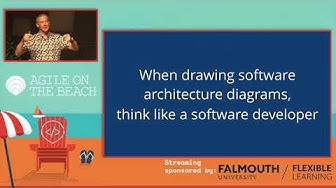
Visualising software architecture with the C4 model - Simon Brown, Agile on the Beach 2019

How to Utilize SharePoint Online as a Headless CMS
