RealityCapture Tutorial: How to take photos for RealityCapture
In this video, you will find recommendations on how to take photos for RealityCapture. This video is mainly intended for beginners who do not know where to start, but also advanced users may find certain tips useful for their workflows. It will cover basic tips, schemes, and examples on how to capture various objects: 00:46 Do not limit image count 1:27 Use Highest Resolution Possible 2:09 In app model resolution calculator 2:29 Do not lose focus 2:54 The exposure triangle 3:35 Each point should be visible in at least two images 4:11 Shoot a full loop around the object and also from several elevations 4:44 Do not change the viewpoint more than 30 degrees 4:59 Follow the shape of the object 5:32 Maintain high overlap between images 6:17 Do not shoot panoramic pictures 7:22 Avoid object movement (e.g. due to wind) 7:46 Avoid transparent or shiny objects if possible 9:32 Avoid featureless textures 10:38 Keep constant lighting conditions 11:42 Photographing interiors 12:44 Drone mapping 13:36 Using masks Links to tutorials mentioned in the video: RealityCapture tutorial: Scan objects from all sides using Masks. • RealityCapture tutorial: Scan objects from... RealityCapture tutorial: Merging exteriors and interiors of buildings • RealityCapture tutorial: Merging exteriors... RealityCapture Webinar: Combining Z+F laser scan with images inside of RealityCapture • RealityCapture Webinar: Combining Z+F lase... Download RealityCapture (PPI) for FREE here: http://bit.ly/2sotr7h Try it yourself with free sample datasets: https://bit.ly/3cRBfQp Follow us on: Instagram / capturingrealitycom LinkedIn / capturing-reality Facebook / capturingrealitycom Twitter / realitycapture_


RealityCapture tutorial: Scaling methods

5 Common Mistakes when Photographing for Photogrammetry | CLICK 3D EP 1 | 3D Forensics CSI
![Best of Deep House [2026] | Melodic House & Progressive Flow](https://i.ytimg.com/vi/Il-ZpBuC8tA/hqdefault.jpg?v=69905cf3&sqp=-oaymwEjCNACELwBSFryq4qpAxUIARUAAAAAGAElAADIQj0AgKJDeAE=&rs=AOn4CLD98tp8MTbT485EHZMDT_XMVi93ow)
Best of Deep House [2026] | Melodic House & Progressive Flow

RealityCapture tutorial: New mapping features RC Blaze 1.1

Camera Settings for Photogrammetry | 3D Forensics | Photography | CSI

The Crystal That Could Destroy All Medicine

RealityCapture Webinar: Combining Z+F laser scan with images inside of RealityCapture

«Ich bin der Versöhner»: Björn Höcke über die Deutschen, ihre Identität und ihre Zukunft

RealityCapture tutorial: Scan objects from all sides using Masks.

Something is jamming GPS over Europe. Here's what we found

🚗 BYD : The biggest SCAM of the car industry ?

Scanning Featureless Objects

Mastering Photogrammetry: Crafting 3D Models with RealityCapture | Unreal Fest 2024

Turning Photos into a 3D Object with RealityCapture (RealityScan)

RealityCapture tutorial: Merging exteriors and interiors of buildings

Winter Environment using RealityCapture, Quixel Mixer and Twinmotion
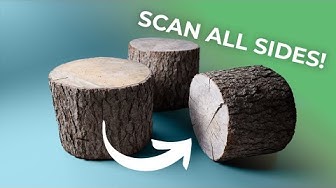
How to 3D Scan All Sides of Objects - RealityCapture

RealityCapture tutorial: Control Points

RealityCapture tutorial: Complete Model Using CLI
