How to Set Up ES-DE & RetroArch on SteamOS
Set up ES-DE and RetroArch on your Steam Deck (or any SteamOS device) with this complete step-by-step tutorial. In this video, I’ll walk you through: Downloading and organizing ES-DE and RetroArch Configuring RetroArch (controller setup, hotkeys, recommended settings) Setting up ES-DE and your ROM folders Adding games and cores Getting everything working in Steam Gaming Mode with custom artwork Updating in the future This tutorial focuses on a manual setup so you can understand exactly how things work under the hood. However, if you prefer more automated options we have a few listed in our user guide here: https://gitlab.com/es-de/emulationsta... Whether you’re brand new to emulation on SteamOS or just want a cleaner setup, this guide will get you playing quickly. Chapters: 00:00 – Intro 00:42 – Download ES-DE & RetroArch 01:54 – Folder Setup 03:53 – Configure RetroArch 04:12 – RetroArch Important Settings 08:58 – RetroArch Recommended Settings 15:49 – RetroArch Save Your Changes 16:11 – RetroArch Download Cores 18:21 – Configure ES-DE 18:54 – ES-DE ROMs Folder 21:28 – Adding Games 22:26 – Test Desktop Mode 23:37 – Configure Gaming Mode 25:52 – Updating in the future 26:48 – Removing ES-DE 27:15 – Removing RetroArch 28:37 – Test Gaming Mode 29:55 – Summary 31:16 – Common Questions 31:23 – "Where are my saves?" 33:23 – "Where do I place bios files?" 34:13 – How do I change where RetroArch stores things?" 34:55 – "Which bios files do I need?" 36:21 – "What systems can I play?" 37:06 – "I got an error when launching a game" 39:33 – Outro References: Download ES-DE: https://es-de.org/#Download Download RetroArch: https://retroarch.com/?page=platforms ES-DE System Reference: https://gitlab.com/es-de/emulationsta... Retro Game Corps RetroArch Guide (Recommended Bios): https://retrogamecorps.com/2022/02/28... Download Artwork for Gaming Mode: https://www.steamgriddb.com/


The Ultimate Emulation Guide for 2026 | RetroArch & EmulationStation on PC

Retroid Pocket 6 Starter Guide

How To Setup PortMaster On dArkOS And How to Run Ports Without PortMaster

What I'd Do If I Got a Steam Deck Today

dbrand Forgot to Ask Permission

My Thoughts On PlayStation Ending Physical Discs

Steam Deck Emulation Guide 2026 – The Ultimate Setup Tutorial

40Hz Binaural Gamma Waves - Ultra Deep Concentration

Android Handheld Starter Guide

Vita3K (2026) Emulation on Android Setup Guide!

Steam Deck: Getting Started - Configuration and Tinkering "How-to" | Step-by-step Guide | Deck Tech

We don't need the Steam Deck anymore

Violence Expert: Real Self-Defense Is TERRIFYING! Martial Arts WON'T Save You

The Steam Controller is Here
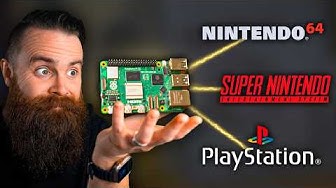
RetroPie: A Raspberry Pi Gaming Machine

Start-to-Finish COMPLETE Android Emulation Setup

ES-DE on Android Guide: My Favorite Launcher!
![Steam Deck Emulation Guide [EmuDeck 2025]](https://i.ytimg.com/vi/89-LRCob6H8/hqdefault.jpg?sqp=-oaymwEjCNACELwBSFryq4qpAxUIARUAAAAAGAElAADIQj0AgKJDeAE=&rs=AOn4CLCaY8RGA-uETtgQyHuHAxqyXQ1m0Q)
Steam Deck Emulation Guide [EmuDeck 2025]

I turned my PS4 into a Steam Machine with CachyOS!
