Raspberry Pi LESSON 1: First Boot and Configuring the Desktop, Panel, Menu and Preferences
Announcing the Most Awesome Raspberry Pi Lessons of All Times! This time we RUMBLE! In this lesson I will take you through first boot of your pi, and then show how to improve the desktop appearance. In this class series, we will be using the most excellent Sunfounder Ultimate Raspberry Pi kit, available at here: (Affiliate Link) https://amzn.to/3tSk9Mo or for our UK friends, https://amzn.to/3I5d401 You guys get your hardware ordered so you can follow along at home! You will also need a Raspberry Pi. I suggest the Raspberry Pi 4. If you do not already have one, this is the most suitable gear I could find: https://amzn.to/3pBMfKm The Raspberry Pi's are sort of pricy right now, so you can look on ebay or elsewhere to see if there are any deals. You will need a SD card. If you do not already have one, this is a good one: https://amzn.to/3KcXTn2 I like using a wireless keyboard and mouse to have fewer wires. You can certainly use your USB keyboard and mouse, but if you want a nice wireless one, this one works on the pi. https://amzn.to/36Rv9Sk You guys can help me out over at Patreon, and that will help me keep my gear updated, and help me keep this quality content coming: / paulmcwhorter [Disclosure of Material Connection: I am a participant in the Amazon Services LLC Associates Program, an affiliate advertising program designed to provide a means for sites to earn advertising fees by advertising and linking to amazon.com. ] #RESISTTHEMETAVERSE #RASPBERRYPI


Raspberry Pi LESSON 2: Linux Essentials in One Session

AI on the Edge LESSON 1: Introduction and Class Overview

Cyberdeck Build: DIY Portable Computer

Raspberry Pi LESSON 3: Python Essentials in One Session
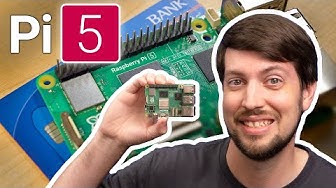
Raspberry Pi 5: EVERYTHING you need to know

I Bought a $40k Robot for $200, Then Let Random People Control It
![Raspberry Pi 5 Tutorial for Beginners 2H30 [Crash Course]](https://i.ytimg.com/vi/tIEI3sv_gxM/hqdefault.jpg?sqp=-oaymwEjCNACELwBSFryq4qpAxUIARUAAAAAGAElAADIQj0AgKJDeAE=&rs=AOn4CLDZMqZocqWpAx8psA6qLBmop2FCuw)
Raspberry Pi 5 Tutorial for Beginners 2H30 [Crash Course]

Raspberry Pi Remote Access - 3 Methods

Battle of the Zeros

Microsoft Just Released Their Own Linux Distro: Should You Be Worried?

Create complex interfaces for your Pi Pico, STM/ESP32 and arduino projects

Raspberry Pi LESSON 4 : Understanding and Using GPIO Pins

Linux 7.2 Review: MAJOR Performance, GPU, CPU, and Networking Upgrades

Pico Course for Beginners | Coding, Electronics and Microcontrollers

I built a Raspberry Pi Cluster Computer

I Outsmarted Pro Car Thieves

I Can Save You Money! – Raspberry Pi Alternatives

Raspberry Pi Full Course for Beginners 🧠 | OS Setup, Python GPIO & Projects
