50 Blender tips in one video???
50 Blender 3D Tips, Tricks, & Hacks This Blender tutorial is a sequel to my popular 50 Blender Tips video. There are tips and tricks for modeling, sculpting, shading, compositing, animating, and so much more! This video is for beginner and advanced Blender artists alike. If you want to learn how to use Blender, hopefully there's something in here to help! Be sure to watch the original 50 Blender Tips tutorial here: • I packed 50 BLENDER TIPS into one video! 🔥 Here's the amazing Blender E-Book for even MORE TIPS: https://blendermarket.com/products/bl... I earn a commission if you use the link to purchase (thank you!) VIDEOS MENTIONED: Mist Pass Tutorial: • 🔥 Add Fog with the MIST PASS in Blender UV Grunge Tutorial: • 🔥 Add grunge from ANY IMAGE to a material ... 360 Rendering: • Create 360 Panoramic Images and Videos in ... Rotation Tutorial: • How to Rotate Objects in BLENDER - Everyth... Annotate Tutorial: • How to Use the Annotate Tool in Blender 3D Blender Data Tutorial: • Important Five-Minute Lesson on Blender Da... FAVORITES: Here are some of my favorite things related to Blender and digital art: ❤️ My favorite Blender add-ons: https://brandon3d.com/best-blender-ad... ❤️ Favorite gifts for digital artists: https://brandon3d.com/products-for-di... TIMESTAMPS: 0:09 Bevel Types 0:37 Area Light Spread 1:10 Shadow Casting 1:34 Hide Shadows 1:52 Copy & Paste Colors 2:18 Limit Rotation 2:55 Multiple Scenes 3:50 Mist Pass 4:17 Simplify 5:03 Save Incremental 5:37 Properties Search 6:08 Undo Steps Limit 6:42 Passepartout 7:20 Armature Display 7:56 Realtime Compositing 8:42 Metaballs 9:14 Persistent Data 9:58 Multiple UV Maps 10:43 Screenshots 11:09 Material Preview Colors 11:41 Cavity 11:58 Reroute Node 12:28 Test Resolution 12:47 Transparent Background 13:15 Orthographic Rendering 13:45 Multiple Windows 14:04 Recover Last Operation 14:28 Hide vs Isolate 15:07 Quad View 15:39 Extensions 16:12 Cell Fracture 17:05 Quick Explode 17:52 Vortex 18:30 Trackball Rotation 18:58 Seconds in Timeline 19:21 Control Right Click 19:39 Reorder Properties 20:07 Blackbody Node 20:55 Extend Past (Roof Lines) 21:35 Annotations 22:09 F vs J 22:39 Disable Selectability 23:19 Drag & Drop 23:40 Multiresolution Modifier 24:28 Compositor Preview 25:11 Align Rotation to Target 25:40 Non-Linear Animation 26:27 Un-Deleting 27:19 Custom Workspaces 28:33 Text Notes in Editors Get more Blender and 3D content on my website (and subscribe to my e-mail list) at: https://brandon3D.com #blender3d #b3d #BlenderTutorial #blender #blendertips #brandon3d


Custom Shortcuts in BLENDER 3D

Over 50 Blender Terms Explained

30 little-known Blender tricks

10 Things You Should Know How to do in Blender

CHOSEN ONE!! YOUR IDENTITY REVEAL JUST SHOOK THE INTERNET... AND THEIR MINDS

What I Learned Animating a 3D Video Essay in Blender

16 Blender Tips That Made Me Pro

How to Turn Low Poly Models into AAA Game Assets - Blender 5

34 Blender Tips in 12 Minutes!
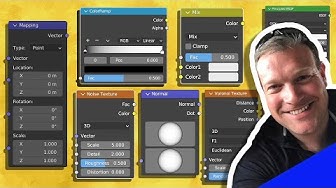
Learn the BASICS of Material Shading in BLENDER (Part 1)

I Found 8 POWERFUL Blender Tips you've never heard of

50+ Blender Tips and Tricks (that you'll actually use!)

I packed 50 BLENDER TIPS into one video!

3 Blender Camera Tricks To KILLER Animations

How I made a Video Game Character in Blender

All 54 Modifiers in Blender Explained in 10 Minutes

Five Topology Tips Every 3D Artist Should Know

How to Make a Mineshaft Ride in Blender

This Blender VFX compositing hack is surprisingly good! (Tutorial)
